Apex Lead Gen 300x250
Ad #28 | Type: BANNER
Active
Ad Preview
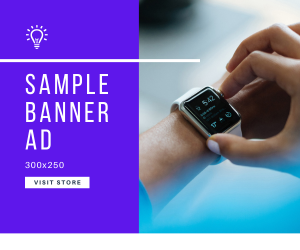
Dimensions: 300x250
Ad Details
| Campaign | Apex Lead Generation Drive |
| Ad Type | BANNER |
| Headline | Cut Your Marketing Costs by 60% |
| Description | Apex Digital delivers enterprise-grade marketing automation. Request a demo. |
| Destination URL | https://apexdigital.io/demo |
| Weight | 100 (Rotation Priority) |
| Created | Dec 20, 2025 3:38 AM |
Targeting Settings
No targeting rules - shows to all users
Conversion Tracking Setup
Quick Start Code
Place this code on your conversion/thank-you page (after purchase, signup, etc.)
<script>
fetch('https://adsrvx.test/api/v1/track/conversion', {
  method: 'POST',
  headers: { 'Content-Type': 'application/json' },
  body: JSON.stringify({
    ad_id: 28,
    campaign_id: 13,
    conversion_type: 'custom'
  })
});
</script><script>
// Track a purchase with monetary value
fetch('https://adsrvx.test/api/v1/track/conversion', {
method: 'POST',
headers: { 'Content-Type': 'application/json' },
body: JSON.stringify({
ad_id: 28,
campaign_id: 13,
conversion_type: 'sale',
conversion_value: 99.99, // Replace with actual order total
conversion_data: JSON.stringify({
order_id: 'ORD-12345',
product: 'Product Name'
})
})
});
</script>For accurate attribution, store the click UUID when users click your ad, then pass it during conversion tracking.
<!-- Step 1: On your landing page, store the click UUID from the ad -->
<script>
// Get click_uuid from URL parameter (added by serve.js)
const urlParams = new URLSearchParams(window.location.search);
const clickUuid = urlParams.get('click_uuid');

// Store in cookie for 30 days
if (clickUuid) {
  document.cookie = `ad_click_28=${clickUuid}; path=/; max-age=2592000`;
}
</script>

<!-- Step 2: On conversion page, retrieve and send the click UUID -->
<script>
function getCookie(name) {
  const value = `; ${document.cookie}`;
  const parts = value.split(`; ${name}=`);
  if (parts.length === 2) return parts.pop().split(';').shift();
}

const clickUuid = getCookie('ad_click_28');

fetch('https://adsrvx.test/api/v1/track/conversion', {
  method: 'POST',
  headers: { 'Content-Type': 'application/json' },
  body: JSON.stringify({
    ad_id: 28,
    campaign_id: 13,
    click_uuid: clickUuid,  // Links conversion to specific click
    conversion_type: 'sale',
    conversion_value: 99.99
  })
});
</script>Supported Conversion Types
| Type | Use Case | Example |
|---|---|---|
| sale | E-commerce purchase | Product bought, subscription purchased |
| lead | Lead generation | Contact form submitted |
| signup | User registration | Account created, newsletter subscription |
| download | File download | Whitepaper, app download |
| pageview | Specific page visit | Pricing page visited |
| custom | Other actions | Video watched, form started |
Implementation Tips
- Placement: Add conversion tracking code to your "thank you" or confirmation pages
- Testing: Use browser developer console to verify the API call is sent successfully
- Attribution: For best results, use the advanced click tracking method to link conversions to specific clicks
- Security: All tracking requests are rate-limited and validated server-side
- Privacy: Only track conversions on your own website with user consent
Quick Actions
Performance
CTR
3.00%
CVR
4.41%
Total Impressions
68,000
Total Clicks
2,040
Total Conversions
90